
Chrome extension
Make foreign money
make sense.
See dollar, euro and pound amounts in your own currency while you browse.
Whether you're reading the news, scrolling social media, exploring websites, or catching up on everyday content, NumTrans helps you understand foreign-currency amounts at a glance. Hover over a supported amount to see its approximate value in your currency — suggested from your browser's language and timezone, or chosen from around 160 in the toolbar. Rupees in lakh and crore; other currencies in million, billion and trillion.
USD · EUR · GBP to your currency
Seen online
Hover any detected amount to see it in your currency Illustrative conversion at ₹94 per USD, not a live rate. Real rates are approximate and refresh daily.
Ever come across $500 million in a post or article and wondered how much that really is?
Hover over it and see it in your own currency — ₹4,700 crore, £375 million, €445 million or ¥79 billion. No copying. No switching tabs. Just hover and understand.
-
Reader in India
$2,499
₹2.35 lakh
-
Reader in the UK
$500 million
£375 million
-
Reader in Japan
$20
¥3,160
-
Reader in the US
€222 million
$249 million
Illustrative conversions at example rates of 1 USD = ₹94 = £0.75 = €0.89 = ¥158, not live rates.
Wherever you browse.
News, reference, search and the pricing pages you visit every day — NumTrans works right where the amount appears, in your own currency.
-
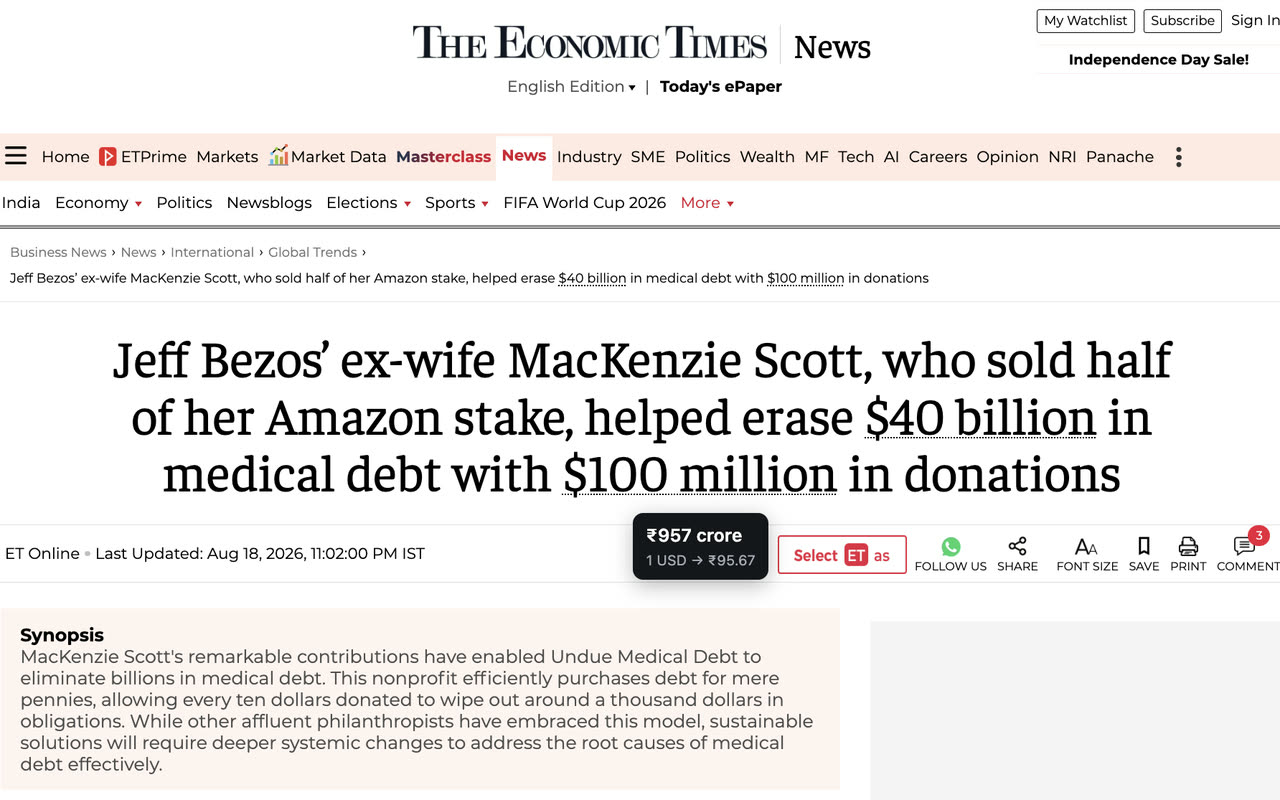
News · Reader in India
See large financial amounts in your currency.
-
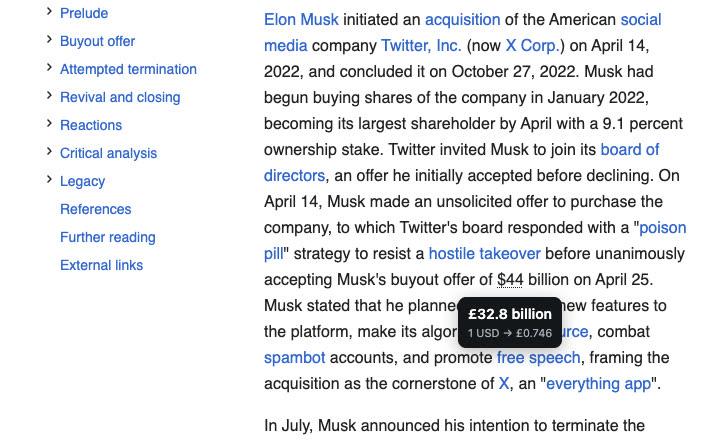
Reference · Reader in the UK
Understand dollar amounts in your own currency.
-

Search · Reader in India
Understand global numbers at a glance.
-
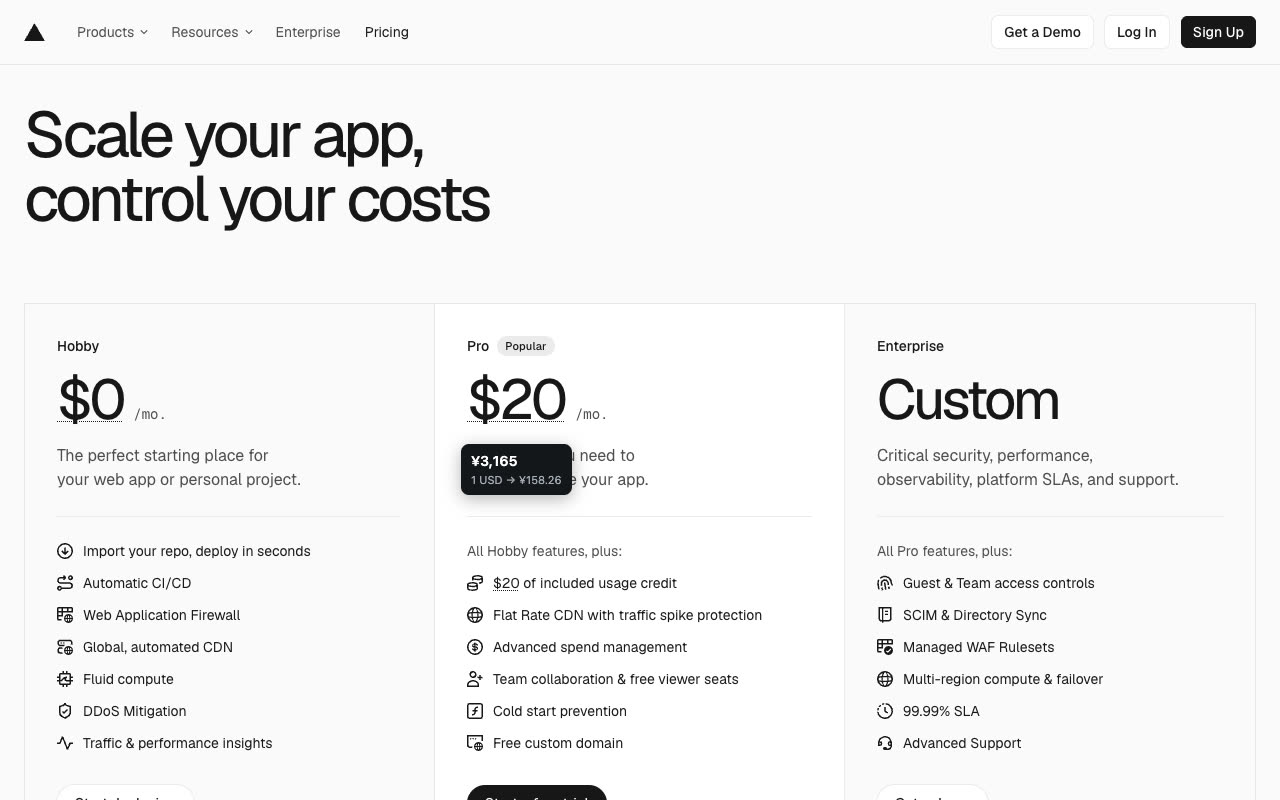
Pricing · Reader in Japan
Prices from anywhere, in money you know.
-
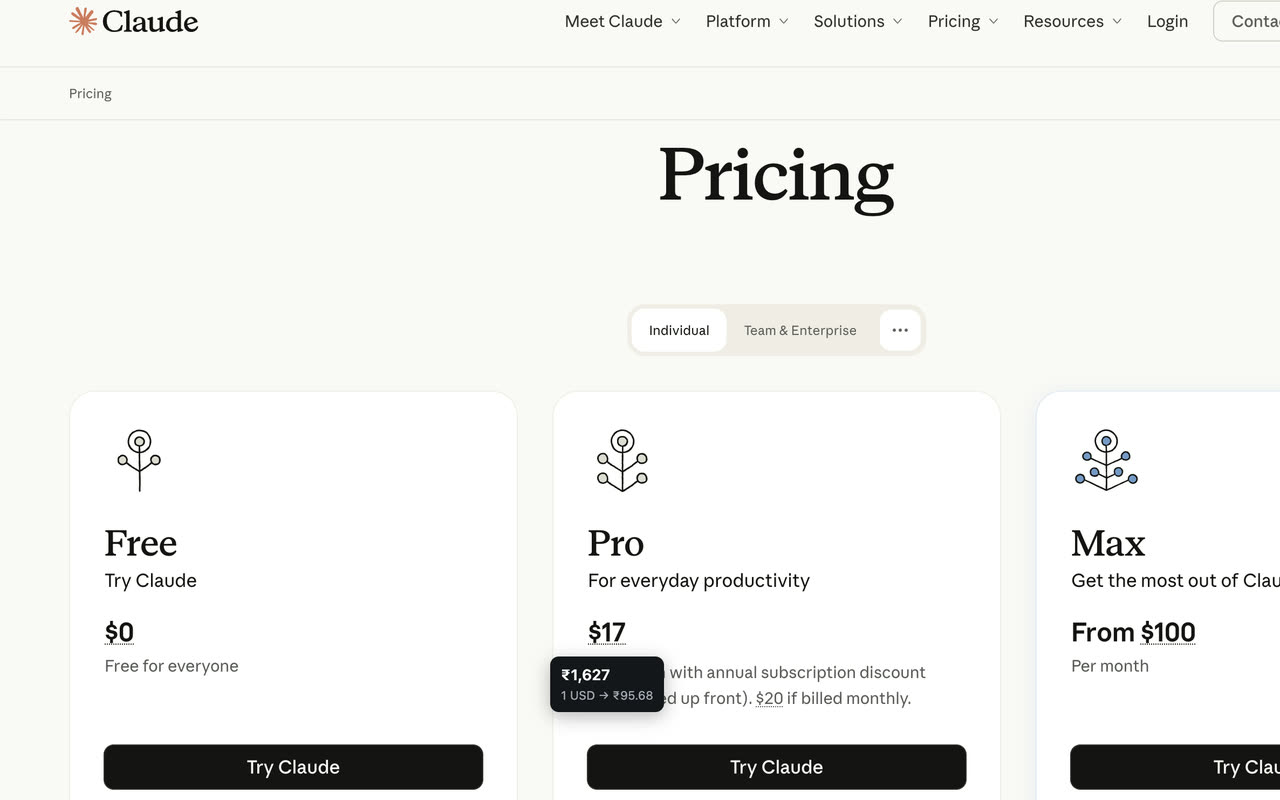
Subscriptions · Reader in India
See monthly plans in your own money.
One extension. Everyday browsing. From $2.5k to $1.5bn, NumTrans understands common financial formats.
How it works
-
01
Browse normally.
NumTrans stays out of the way.
-
02
Spot a foreign amount.
$2,499, $20mn, or $1.5bn.
-
03
Hover to see it in your currency.
No clicks. No copy/paste.
Your currency, automatically.
NumTrans suggests a currency from your browser's language and timezone — German (Germany) shows euros, British English shows pounds, Japanese shows yen, and US English on Indian time shows rupees. It never uses GPS or your IP address to locate you.
-
Prefer another currency?
Click the NumTrans icon in Chrome's toolbar (or the Extensions menu) and choose from around 160. Your choice applies to open tabs straight away.
-
Already in your currency?
It isn't converted. A US-dollar reader sees € and £ amounts converted, and $ amounts left as they are.
-
Upgrading from NumTrans 1.x?
You'll keep seeing rupees in lakh and crore. Click the icon to choose another currency.
Why NumTrans
-
Instant conversion
See your own currency without opening another tab.
-
Numbers you can read
Rupees in lakh, crore and lakh crore; other currencies in million, billion and trillion.
-
Around 160 currencies
Suggested for you automatically, or chosen from the toolbar.
-
Works quietly
Use it across the web without changing how you browse.
-
Lightweight
No dashboard. No complicated setup.
-
Private by design
Page text is read only in your browser. No account, and no analytics in the extension.
Good to know Detects amounts written with $, US$, € or £. Bare $ is read as US dollars; A$, CA$ and similar are skipped. Daily reference rates from Frankfurter — approximate, not live trading quotes; if a fresh rate can't be fetched, the last saved rate is shown with its date.
Make foreign money make sense.
Add NumTrans to Chrome and see dollar, euro and pound amounts in your own currency while you browse.
Add to Chrome — It's free